


The demand for new applications is skyrocketing, but the supply of developers can’t keep up. This is where low code platforms come in, changing how we build software. The global market for low code technologies is projected to reach $44.5 billion by 2026, driven by the need to speed up digital projects and manage development costs. This isn’t a niche trend; Gartner predicts that by 2026, low code development tools will be used in 75% of new application development.
Low code platforms offer a powerful alternative to traditional coding and its steep learning curve, and the sometimes limiting nature of no code tools.
For startups, agencies, and even large enterprise teams, low code development platforms provide a way to build sophisticated, production grade applications with unprecedented speed and efficiency.
This guide explores the best low code platforms available today, helping you choose the right one for your next project.
What is a Low Code Platform?
A low code platform is a visual development environment that allows users to build applications through graphical user interfaces and configuration instead of traditional hand coding. Think of it as a set of powerful building blocks. You drag and drop components, connect data sources, and define logic visually, which the platform then translates into code.
This approach significantly speeds up the development process. Low code can accelerate development by up to 10 times compared to traditional methods. This efficiency is why the market reception has been overwhelmingly positive, with organizations recognizing the power to innovate faster and reduce backlogs.
Low Code vs High Code vs No Code
To understand the value of low code, it helps to see where it fits on the development spectrum.
Low code platforms are uniquely positioned to bridge the gap between IT and business departments. In fact, Gartner predicts that by 2026, developers outside of formal IT departments will represent at least 80% of the user base for low code tools.
Benefits and Trade Offs of Low Code
Adopting low code platforms can bring significant advantages, but it’s important to understand the complete picture.
Key Benefits
Potential Trade Offs
When Low Code Fits, and When It Doesn’t
Low code platforms are incredibly versatile, but they aren’t the solution for every single problem.
Ideal Use Cases
When to Reconsider
Key Features to Look For
When evaluating low code platforms, certain features are non negotiable for professional use.
How to Choose a Low Code Platform
Selecting the right tool requires a structured approach. Here’s a practical guide:
Costs and Pricing: Typical Tiers and Hidden Gotchas
Pricing for low code platforms varies widely. Most operate on a SaaS model with tiered pricing.
Open Source vs Proprietary Low Code
The choice between open source and proprietary low code platforms has significant implications.
A hybrid approach, like the one offered by WeWeb, can provide the best of both worlds: a polished, fully managed cloud version alongside the option to self host for complete control.
Governance and Best Practices for Sustainable Low Code
To succeed with low code long term, you need a plan.
Trends in Low Code (2026) to Future Proof Your Choice
The world of low code is evolving rapidly. Staying ahead of these trends will ensure the platform you choose today will still be powerful tomorrow.
How We Evaluated Platforms
Our evaluation process is based on a comprehensive set of criteria designed to reflect real world professional needs. We focused on platforms that offer a robust feature set for building production grade applications.
Key factors included:
Top 10 Low Code Platforms
With a clear understanding of what low code can offer, it’s time to dive into the market leaders who are setting the standard.
The following ten platforms have been carefully selected for their robust features, scalability, and user friendly interfaces, representing the best solutions for a wide range of business needs.
This curated list will help you navigate the crowded marketplace and identify the perfect tool to accelerate your development.
1. WeWeb
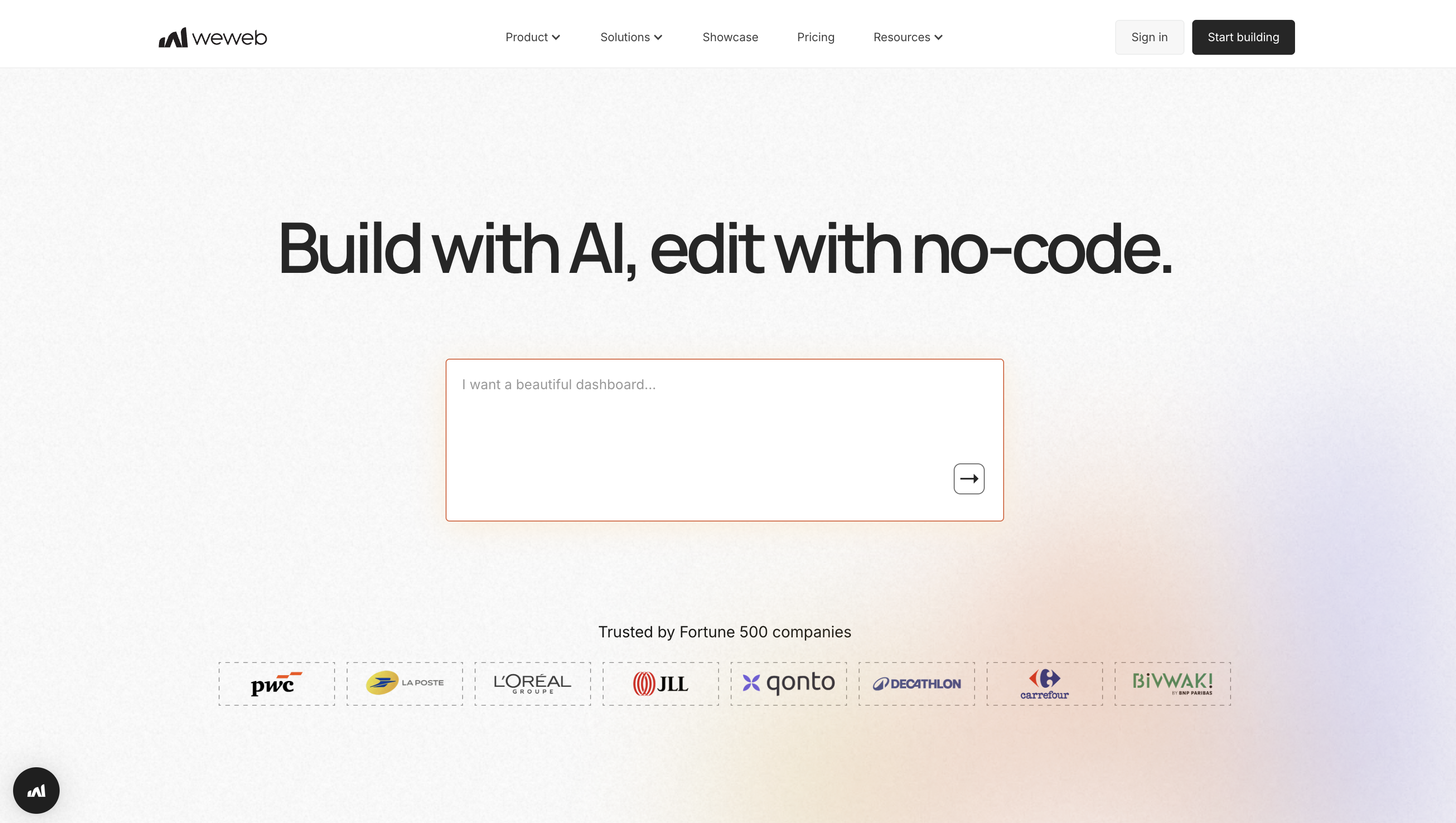
WeWeb is a visual, AI assisted full-stack builder for production-grade web apps, portals, and SaaS.
It shines for mixed skill teams that want to ship fast, iterate visually, and keep options open with clean, exportable code.
Designers, founders, and engineers collaborate in one canvas while connecting to any backend for serious, scalable workloads.
Build velocity: what stands out
- AI + visual editor Prompt to generate pages and components, then refine with a crisp drag and drop UI and powerful Figma import.
- Full backend flexibility Native WeWeb backend + native integrations for Airtable, Xano, Supabase and generic REST/GraphQL APIs; built in auth, caching, and actions.
- Pro code when needed Extend with custom
JavaScript/Vuecomponents; export a standard Vue.js codebase to avoid lock in. - Operational control Roles, versioning, and staged releases support safe collaboration and repeatable rollouts.
- Design at scale Reusable components and a design system keep apps consistent across teams.
Connect & deploy You can mix and match different data sources (WeWeb native backend, Supabase, Xano, REST/GraphQL). Host on WeWeb’s global CDN or export the code to self host anywhere, including on prem or air gapped environments.
Pricing snapshot Free plan to build and publish with branding. Paid seats start at $20/month; custom domains and hosting are add ons. No per end user fees, so costs stay predictable as usage grows
2. Appian
Appian is an enterprise low code platform built for end to end process automation at scale. It’s a fit for large organizations orchestrating complex case management, service operations, and regulated workflows. Fusion teams move from idea to production quickly with a unified stack spanning data fabric, automation, AI, and governance.

Build velocity: what stands out
Connect & deploy Use low code REST/SOAP/SQL connectors and prebuilt integrations (e.g., SAP, Salesforce). Run on Appian Cloud (including FedRAMP High) or self host on Kubernetes.
Pricing snapshot Community Edition is free. Production pricing is quote based (per user/app) with tiered limits for data sync, AI actions, and RPA capacity.
3. AppSheet
AppSheet, from Google, quickly turns your spreadsheets and databases into mobile and web apps. It’s ideal for ops teams, field workers, and business analysts who need to digitize processes like inspections, inventory, and approvals, all with strong offline support and governance for production use in Google centric environments.
Build velocity: what stands out
Connect & deploy Natively tap Google Workspace data, cloud databases, and Salesforce. Apps are hosted by Google and run in browser or the AppSheet mobile container (enabling offline use).
Pricing snapshot Prototype free for up to 10 users. Paid plans start at $5/user/month; the Core plan ($10/user/month) is often bundled with Google Workspace business/enterprise tiers.
4. Mendix
Mendix is a full stack low code platform for secure, scalable web and mobile apps. It serves fusion teams delivering portals, internal tools, and complex industry solutions, especially alongside SAP. With AI assisted modeling and cloud native architecture, teams ship faster without sacrificing maintainability or performance.

Build velocity: what stands out
Connect & deploy Integrate via REST, OData, and event streams (Kafka), with deep SAP and SQL support. Deploy to Mendix Cloud (AWS), private Kubernetes, on prem, or SAP BTP.
Pricing snapshot Free tier for prototyping. Paid plans start around $75/month for a single app; higher tiers add production SLAs, 24/7 support, and advanced deployment options.
5. Microsoft Power Apps
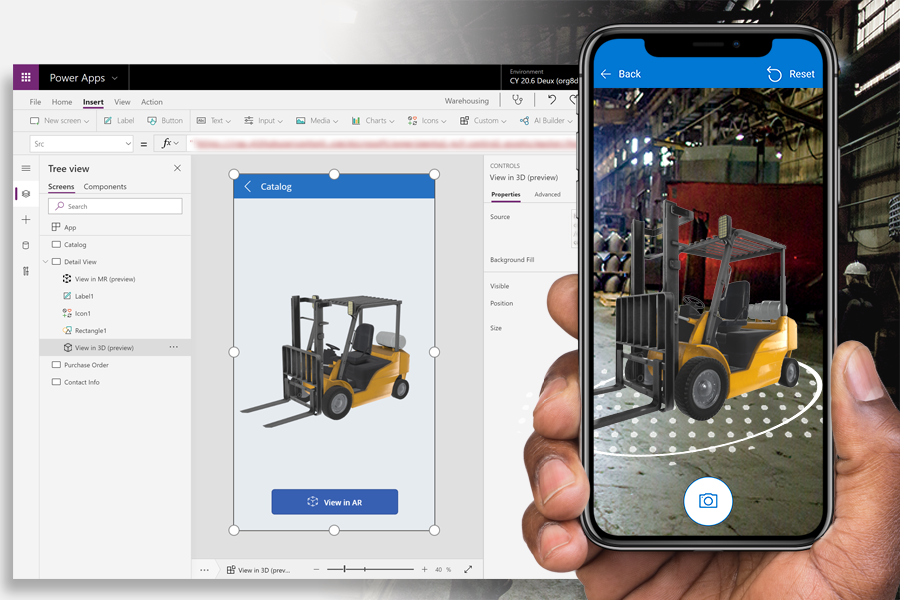
Power Apps is Microsoft’s low code engine for building secure, data driven apps across web and mobile. It’s tailor made for organizations on Microsoft 365 or Azure, empowering fusion teams to move quickly with strong governance, Dataverse, and seamless connections to the rest of the Microsoft ecosystem.
Build velocity: what stands out
Connect & deploy Hook into Dataverse, SharePoint, SQL, SAP, Salesforce, and more via connectors; secure access on prem via gateway. Apps move through dev/test/prod with built in pipelines in the Microsoft cloud.
Pricing snapshot Free developer plan for build/test. Production starts at $20/user/month (unlimited apps) or pay as you go; premium connectors may require additional licensing.
6. OutSystems
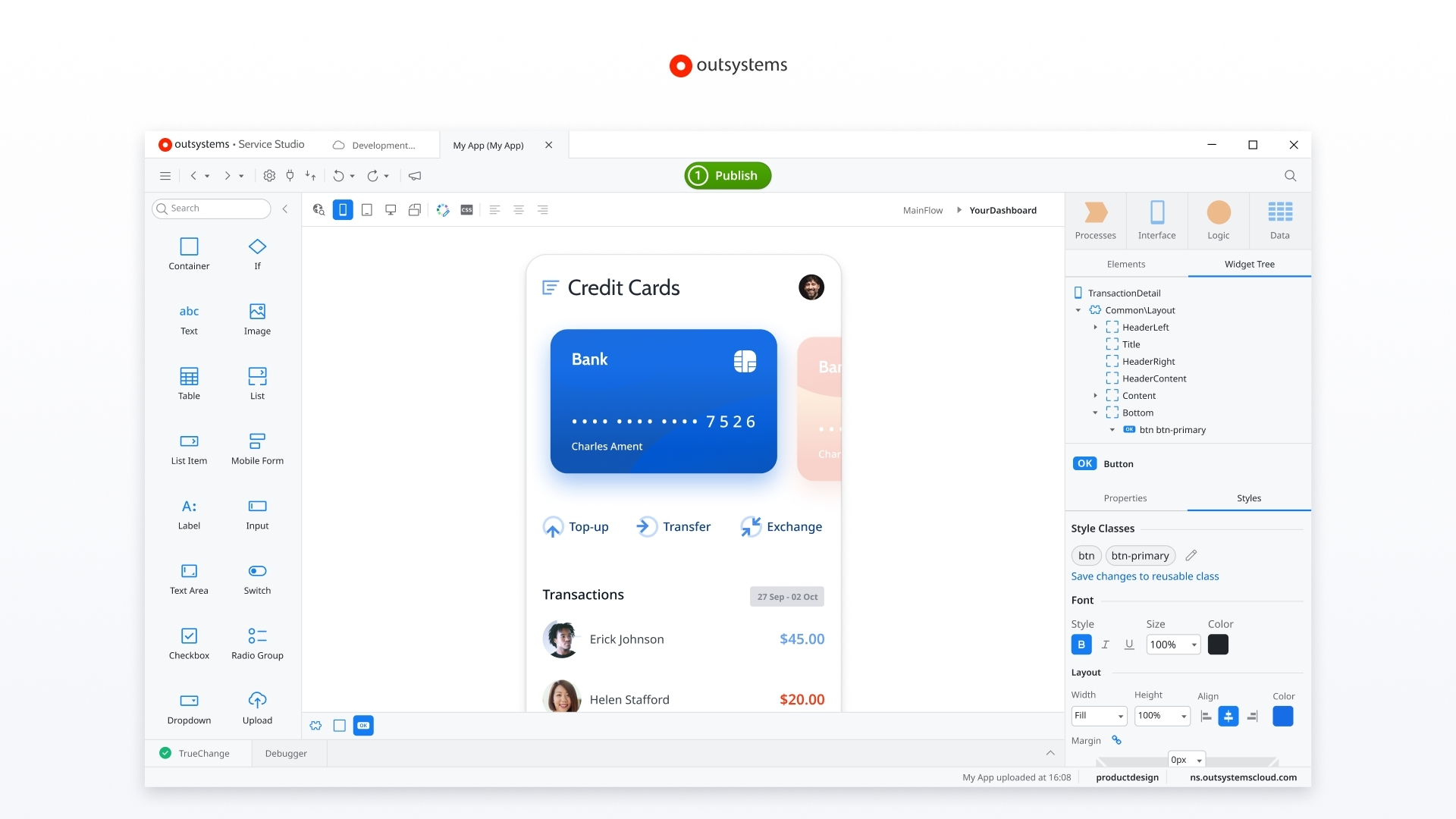
OutSystems is an AI powered low code platform for mission critical, full stack apps. It’s a go to for enterprises in regulated industries that need speed without sacrificing security, performance, or governance. Teams design, build, deploy complex applications, and keep them healthy long term on a single, cohesive platform.
Build velocity: what stands out
Connect & deploy Use prebuilt connectors and REST/SOAP APIs. Run on the OutSystems cloud native SaaS, a managed PaaS, or your own on prem/private cloud.
Pricing snapshot Personal edition is free for learning. Production subscriptions are quote based and sized by app capacity and environments; advanced compliance and support are add ons.
7. Pega
Pega is an enterprise platform for model driven apps, real time decisioning, and complex case management. It’s built for large organizations modernizing core operations like customer service, onboarding, and claims, where speed to launch is critical and long term governance is non negotiable.
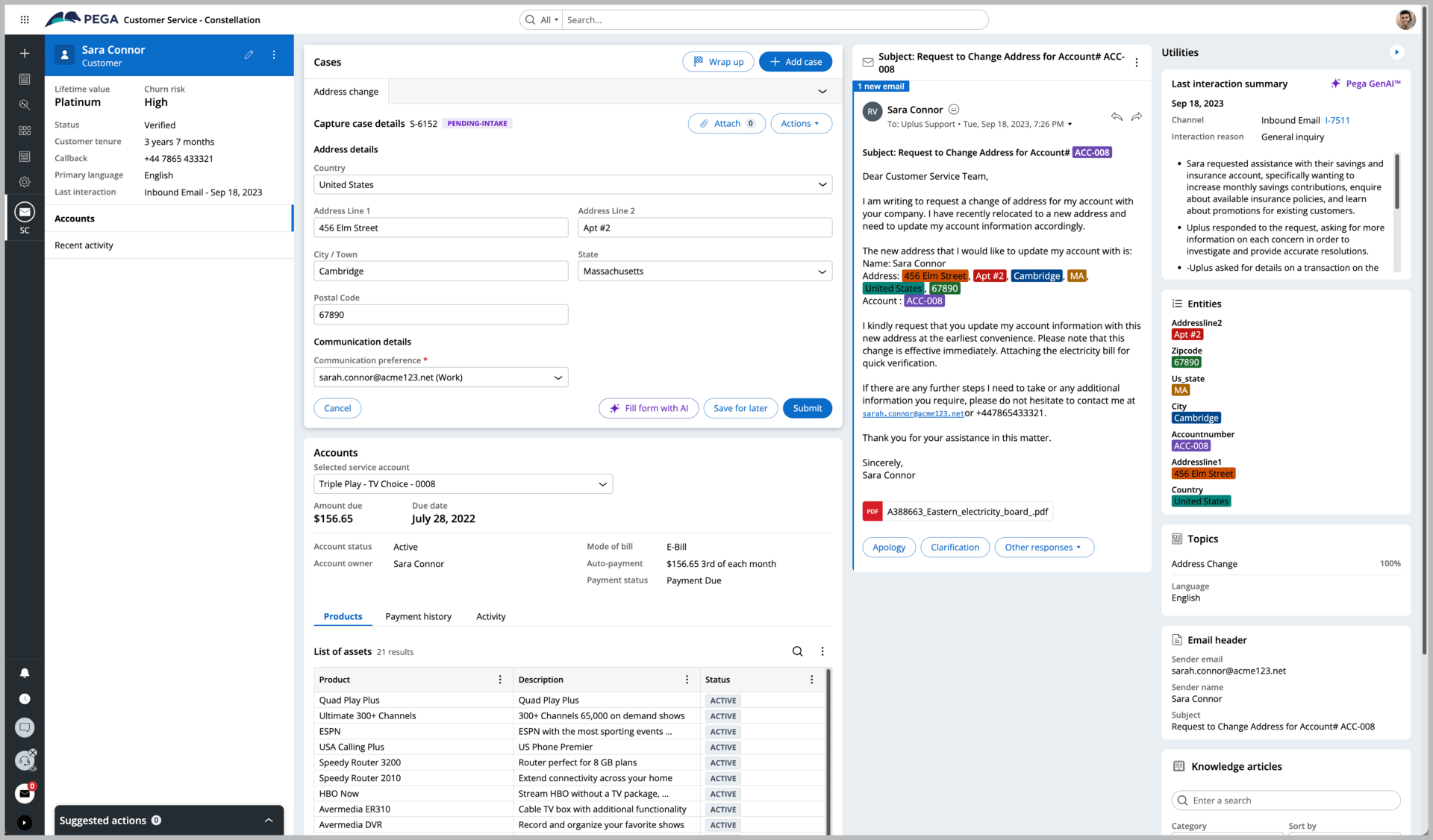
Build velocity: what stands out
Connect & deploy Integrate via REST/SOAP/SQL wizards or stream with Kafka. Deploy on Pega Cloud (AWS/Google Cloud) or self host on Kubernetes, with contractual flexibility to move clouds without penalty.
Pricing snapshot Free tools include a GenAI Blueprint and Community Edition trial. Enterprise pricing is quote based, tailored by use case and volume.
8. Oracle APEX
Oracle APEX brings low code app building directly into the Oracle Database. It’s ideal for teams that live in SQL and need secure, data centric apps, such as dashboards, internal tools, and business applications, delivered quickly with production grade performance and governance.
Build velocity: what stands out
Connect & deploy Work against local Oracle schemas or consume external REST APIs. Host on Oracle Cloud (fully managed), on prem with any Oracle Database edition, or on third party clouds.
Pricing snapshot An Always Free tier exists on Oracle Cloud. Paid cloud starts around $122/month with no per user fees; APEX itself is a no cost feature of Oracle Database.
9. Salesforce Lightning
Salesforce Lightning lets teams build apps and portals directly on the Salesforce platform and Data Cloud. Best for organizations whose processes revolve around customer data, it enables admins and developers to collaborate, ship quickly, and govern changes for production at scale.
Build velocity: what stands out
Connect & deploy Use REST/SOAP/streaming APIs; Salesforce Connect virtualizes external data without sync. Apps deploy on Salesforce’s Hyperforce cloud, with specialized regions like GovCloud available.
Pricing snapshot Free developer orgs for build/test. Platform Starter starts at $25/user/month; add ons (e.g., Shield, Experience Cloud) may be required for specific production needs.
10. ServiceNow
ServiceNow App Engine powers governed, enterprise grade workflow apps on the Now Platform. It’s suited to large organizations turning manual processes into secure internal tools, portals, and operational dashboards, using generative AI and a multi instance cloud architecture for performance and control.
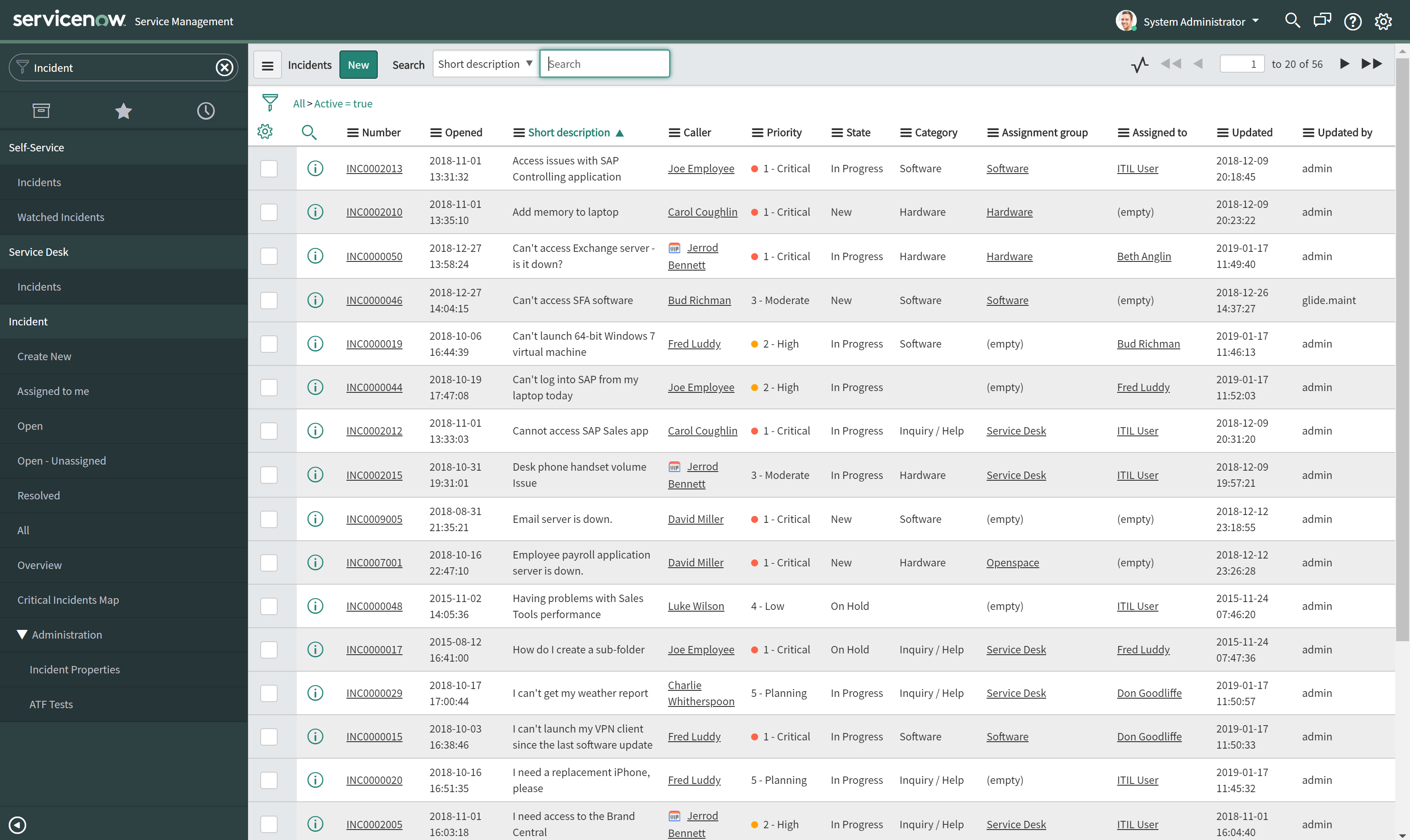
Build velocity: what stands out
Connect & deploy Build on ServiceNow tables and link external systems via spokes, Remote Tables, and webhooks. Delivered as a multi instance SaaS with options for government and sovereign regions.
Pricing snapshot Sold by subscription with custom quotes. Individuals can use a free Personal Developer Instance (PDI) for learning and non production builds.
Conclusion: Make a Confident, Future Proof Selection
The rise of low code platforms marks a fundamental shift in software development. They empower teams to build more, faster, and with greater collaboration between business and IT.
By understanding the key features, evaluating the trade offs, and aligning your choice with your specific project needs, you can confidently select a tool that will not only solve your immediate problems but also grow with you.
The right platform provides the perfect balance of speed, power, and flexibility, enabling you to build the custom applications your business needs to thrive.
Ready to see what a professional low code platform can do? Start building with WeWeb today, or explore real world apps in our showcase.
FAQ: Common Questions About Low Code Platforms
What is the main difference between low code and no code platforms?
Low code platforms are designed for developers and technical users, offering deep customization through code and backend freedom. No code platforms are for non technical users and are generally more limited to simpler use cases with less flexibility.
Can low code platforms build complex applications?
Yes. Modern low code platforms are capable of building sophisticated, scalable, and secure enterprise grade applications, including customer portals, internal tools, and SaaS products.
Are low code platforms secure?
Reputable low code platforms prioritize security. They offer features like role based access control, audit logs, and compliance with standards like SOC 2, HIPAA, and GDPR.
For maximum security, choose a platform that allows for self hosting on your own infrastructure, and review the Data Processing Agreement (DPA) for details.
How do low code platforms handle scalability?
Scalability depends on the platform’s architecture. The best low code platforms are designed for high performance and offer options like scalable cloud hosting or self hosting, giving you complete control over the application’s infrastructure to handle user growth.
Will low code replace developers?
No, low code empowers developers, it doesn’t replace them. It automates repetitive tasks, allowing developers to focus on more complex challenges, custom logic, and system architecture. It also enables better collaboration between developers and non technical team members.
Can I connect my own database or API?
Absolutely. This is a key feature of professional low code platforms. The ability to connect to any REST API or SQL database (like PostgreSQL, MySQL, or others) is crucial for building powerful, data driven applications. Platforms like WeWeb offer complete backend freedom.